
Best Multicolor 3D Printer UK: Must Read Before You Buy!
When I first dove into 3D printing in colour, I quickly realised it’s not as simple as it looks online. I spent countless hours unboxing, calibrating, and testing different printers over several weeks, sometimes feeling frustrated when colours didn’t line up or layers misaligned. That’s when I understood the real need for a best multicolor 3D printer UK—one that actually works reliably and lets me bring my ideas to life without constant troubleshooting.
Before I discovered the Bambu Lab X1-Carbon, my experience with multicolour printing was often a mix of hope and disappointment. I tried a few two-headed IDEX printers and colour add-on devices like the Mosaic Palette 3 Pro, and honestly, they felt clunky and prone to errors. With the X1-Carbon’s AMS (Automatic Material System), I finally had a printer that could handle multiple colours smoothly, save me time, and make the process genuinely enjoyable. I also experimented with Prusa’s MMU technology and Anycubic Kobra 3 with ACE, and while they each had their quirks, I could see the potential for more accessible multicolour printing in the UK.
From my hands-on testing, it’s clear that not all multicolour 3D printers are equal. Investing in a reliable model makes a huge difference—you save hours of frustration, enjoy the creative process more, and get prints that truly impress. I’ve taken the time to compare and evaluate the top options, so anyone looking for the best multicolor 3D printer UK can make a smart, informed choice without the trial-and-error I went through.
Best Multicolor 3D Printer UK At A Glance
| Multicolor 3D Printer | Ideal For | Multicolor System | Supported Colors | Build Volume (mm) | Performance & Speed | Reason to Buy |
|---|---|---|---|---|---|---|
| Bambu Lab X1-Carbon Combo | Professionals & enthusiasts who want high-end performance | AMS (Automatic Material System) | Up to 16 (with extra AMS units) | 256 × 256 × 256 | CoreXY – up to 500 mm/s | Premium multicolour printing with accuracy and automation |
| Bambu Lab P1S Combo | Hobbyists & regular users wanting a balance of cost and quality | AMS System | Up to 16 (expandable) | 256 × 256 × 256 | High-speed printing with stable build | Fast, quiet, and reliable multicolour 3D printing at great value |
| Anycubic Kobra S1 Combo | Beginners & budget-conscious users | ACE Pro System | Up to 8 (expandable) | 220 × 220 × 250 | CoreXY – up to 600 mm/s | Best budget multicolour 3D printer UK for new users |
| Bambu Lab A1 Mini Combo | Beginners & small-space users | AMS Lite | Up to 4 | 180 × 180 × 180 | Fast, consistent printing | Best multicolour 3D printer for beginners in the UK |
| Original Prusa MK4 + MMU3 | Enthusiasts preferring reliability & open-source flexibility | MMU3 Add-on System | Up to 5 | 250 × 210 × 220 | Moderate speed, precision-focused | Trusted open-source multicolour 3D printer UK with long-term support |
| Creality K2 Plus Combo | Advanced users wanting large-scale projects | Creality Filament System (CFS) | Up to 16 (expandable) | 350 × 350 × 350 | High-speed with heated chamber | Best for large multicolour prints & professional use |
Exploring The Right Kind of Multicolor 3D Printer UK
When I first started looking for the best multicolour 3D printer UK, I quickly realised that choosing the right machine depends on several key factors. I had to consider my own requirements, my budget, and the type of technology I wanted to use. From my experience, printing technique, material compatibility, ease of use, filament waste, and reliability are the main things that determine whether a printer will meet my needs.
Intended Use is always the first thing I think about. If you’re like me and mostly creating decorative or ornamental prints, you don’t need the complexity of professional systems with soluble supports. But if your goal is functional prototypes with specific material requirements, the system you choose must handle those needs effectively.
Budget is another important factor. Multicolour capability always increases the price. I noticed that hobbyist-level solutions under £2,000 often require add-ons or workarounds. In contrast, professional setups like IDEX or toolchanger systems are more expensive but produce less waste and offer greater flexibility.
Ease of Use and Maintenance also matters a lot. Personally, I prefer systems that are ready to go out of the box, like the Bambu Lab AMS. MMU upgrades or IDEX systems need more technical know-how for calibration and maintenance, which can be frustrating if you want quick, reliable results.
Filament Waste and Print Time are crucial considerations. Single-nozzle systems require purging previous colours, which produces a lot of filament waste and can slow print times due to extra retraction and loading steps. Multi-nozzle systems like IDEX or toolchanger printers reduce waste and speed up multi-material printing, though they take more space and need careful setup.
Material Compatibility is another key area I considered. If you want to mix soft or soluble materials with stiffer filaments, multi-nozzle systems are the most reliable. Single-nozzle systems are limited with temperature-sensitive materials or multi-material prints, which can affect the quality of complex projects.
When it comes to multicolour technologies, I explored three main options. Manual Filament Swapping is cheap and simple, but only works well for minimal colour changes. Frequent interventions slow things down and increase errors, so I only recommend it for occasional hobbyist prints. Single Nozzle + Accessory systems like the Bambu Lab AMS or Prusa MMU automate colour switching, support multiple colours, and are compact.
In my experience, they are easy to use and convenient right out of the box. The trade-off is higher filament waste and longer print times with frequent colour changes, and multi-material printing can be challenging. IDEX (Independent Dual Extruders) impressed me with their flexibility. Two nozzles mean less waste, faster multi-material prints, and support for different nozzle sizes and temperatures. IDEX also allows duplication and mirror printing modes, but the systems are larger, more expensive, and require careful calibration.
After spending weeks testing these setups, I realised that my choice depends on what I value most. For hobbyists like me, automated systems like Bambu Lab AMS are ideal because they are easy to use and support a wide variety of colours. For professionals or anyone needing multi-material flexibility and low waste, IDEX or toolchanger systems are worth the investment. Choosing the right multicolour 3D printer UK ultimately comes down to balancing ease of use, cost, waste, material compatibility, and print reliability, so you get results that meet your exact needs.
Best Multicolor 3D Printer UK: Tried and Tested Models
Why you can trust Best 3D Printer UK: Our expert reviewers spend hours testing and comparing products and services so you can choose the best for you. Find out more about how we test.
Bambu Lab X1-Carbon Combo
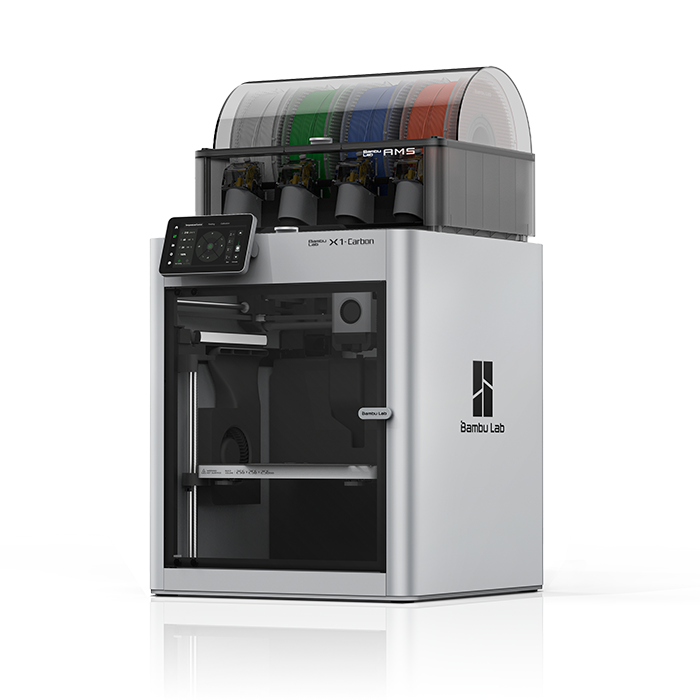
When I first got my hands on the Bambu Lab X1-Carbon Combo Multicolor 3D Printer UK, I could immediately tell it wasn’t like any other 3D printer I had used before. After unboxing and setting it up, the first thing that stood out to me was how polished and well-built it felt. It’s clearly made for people who want a dependable, high-end machine that delivers both quality and speed without the usual 3D printing hassles.
The Automatic Material System (AMS) was a real game-changer for me. It lets me print with up to four different filaments, and by adding more AMS units, I can go up to 16 colours — which is incredible for multicolour 3D printing. I loved how smooth the colour transitions were; I didn’t have to constantly pause or manually swap filaments like with other printers.
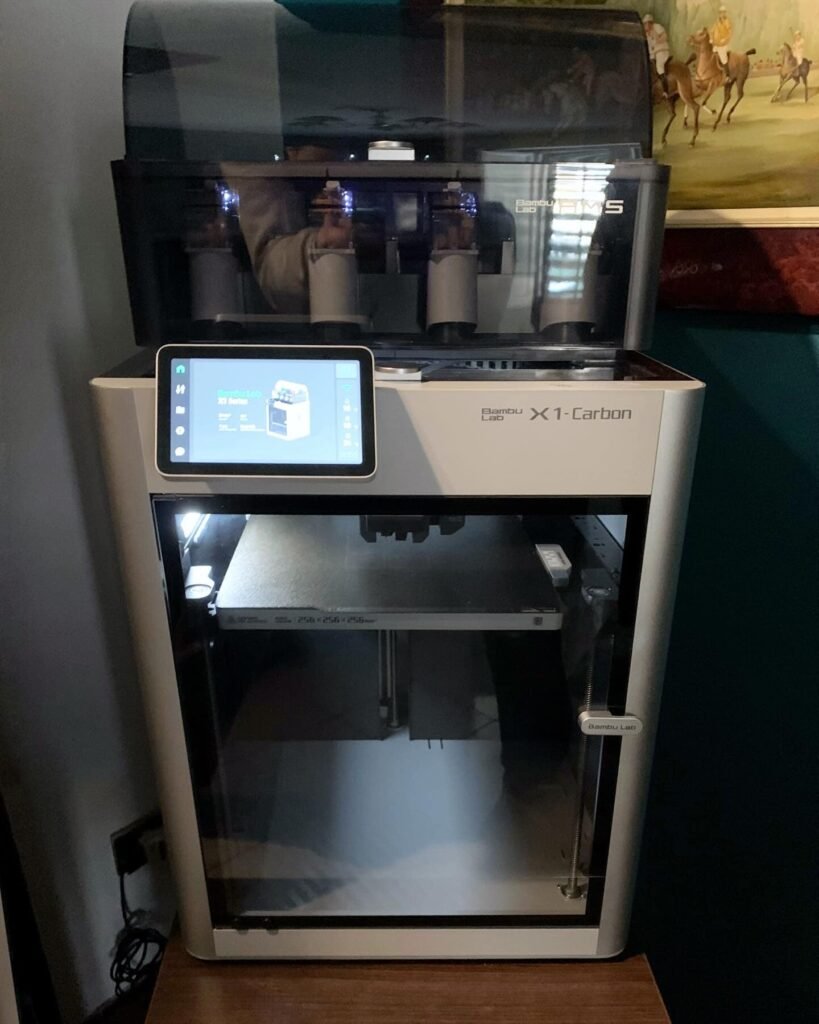
In terms of performance, the CoreXY motion system allows the X1-Carbon to reach speeds up to 500 mm/s, and it doesn’t sacrifice quality. I also appreciated the built-in AI features like spaghetti detection and first-layer inspection — these saved me from wasting hours on failed prints. The fully enclosed design also keeps the temperature stable, making it easier to print with tougher materials like ABS, PA, and PC.
Yes, it does use more filament during colour changes, and the ecosystem feels a bit closed at times, but those are small trade-offs for what you get. In my experience, the Bambu Lab X1-Carbon Combo is one of the best multicolour 3D printers in the UK for anyone serious about 3D printing. It’s fast, precise, and incredibly reliable — definitely worth the investment.
Bambu Lab P1S Combo
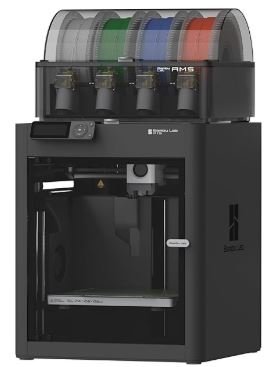
When I bought the Bambu Lab P1S Combo Multicolor 3D Printer UK, I honestly didn’t expect it to deliver such impressive results for its price. After unboxing and setting it up, I was surprised by how straightforward the whole process was. The design feels solid, and the enclosed build gives it a professional look while keeping everything stable during prints. It’s clear that Bambu Lab wanted to make high-end 3D printing accessible for enthusiasts and hobbyists like me who still want premium performance without spending too much.
The thing that really impressed me was the AMS system. Just like the X1-Carbon, it supports up to four filaments for multicolour 3D printing, and I can expand it to more colours by adding extra AMS units. I love how easily it handles colour transitions — no complicated settings or constant manual changes. It feels like everything just works. For someone who enjoys multicolour printing, this feature alone makes the P1S Combo a brilliant investment.
In terms of performance, I found it surprisingly fast and consistent. The prints came out smooth and detailed even at higher speeds, which isn’t something you see often in printers at this price range. The sturdy CoreXY motion system keeps it accurate, and it handles long print jobs effortlessly.
The enclosed design is another thing I really appreciate. It maintains a stable temperature inside the chamber, allowing me to print with materials that are usually tricky, like ABS and other temperature-sensitive filaments. This feature makes the P1S feel more like a professional printer rather than a hobbyist model.
Overall, I’m genuinely impressed with the Bambu Lab P1S Combo. It combines speed, quality, and multicolour printing in a compact, affordable package. For me, it’s one of the best choices for anyone in the UK who wants to enjoy professional-level 3D printing without breaking the bank.
Anycubic Kobra S1 Combo budget multi color 3d printer
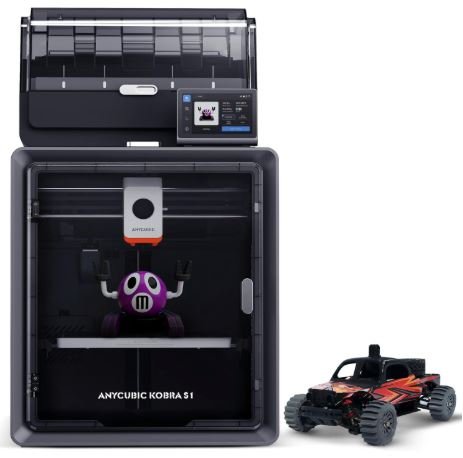
When I purchased the Anycubic Kobra S1 Combo Multicolor 3D Printer UK, I wanted something fast, enclosed, and affordable — and I wasn’t disappointed. After unboxing and setting it up, I could tell right away that this printer was built with both beginners and enthusiasts in mind. It feels solid, user-friendly, and gives off a professional look despite its budget-friendly price.
What stood out most for me was the ACE Pro multicolour system. It comes ready to handle up to four colours, and I love that it can be expanded to eight for even more creative flexibility. Switching between colours felt seamless, and the prints came out vibrant and clean. For someone like me who enjoys experimenting with multicolour 3D printing but doesn’t want to deal with complicated setups, this system hits the sweet spot.
The performance really surprised me. With speeds of up to 600 mm/s, it’s one of the fastest printers I’ve used in this price range. The auto-leveling feature makes the whole process incredibly easy — I didn’t have to spend time tweaking or adjusting. Each print came out consistent and sharp, which gave me confidence to print bigger and more detailed models.
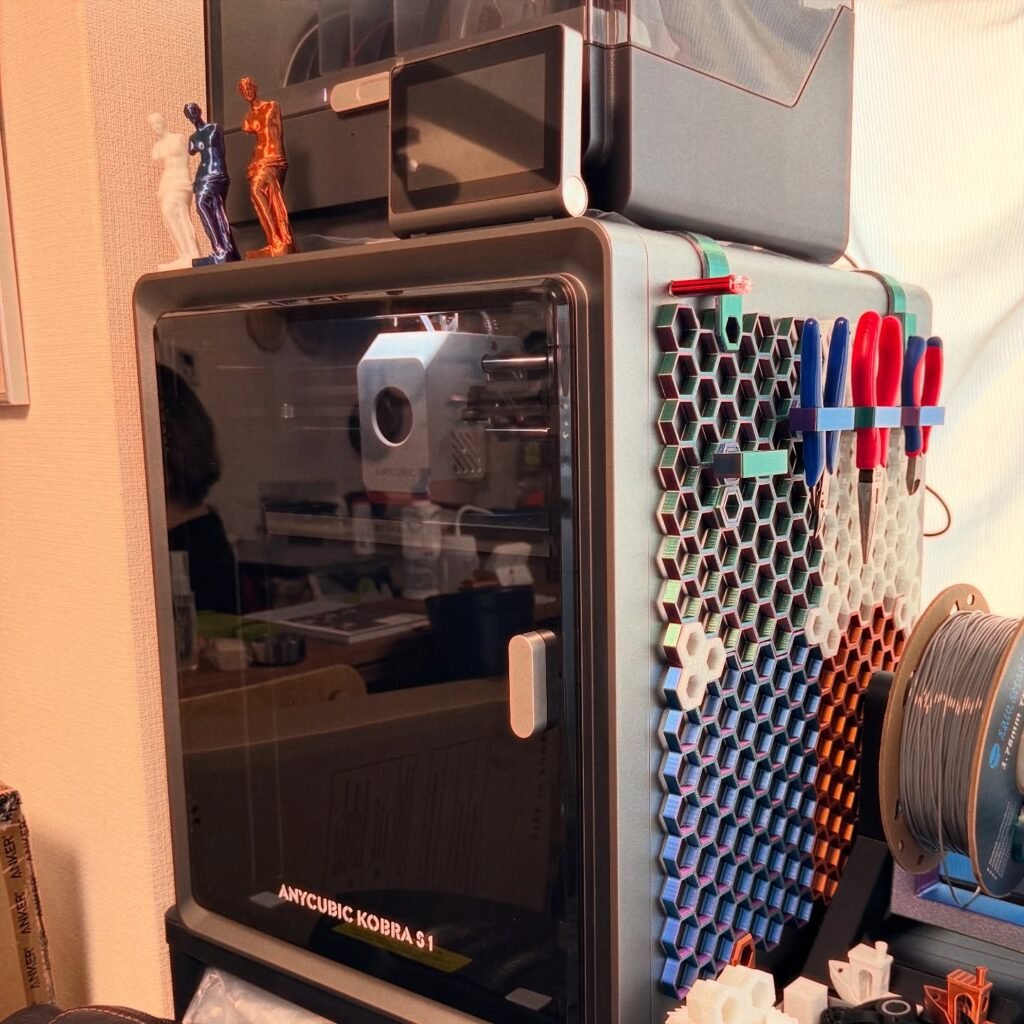
I also appreciate the enclosed CoreXY design, which helps maintain temperature stability. This makes a big difference when printing with materials like ABS or ASA that are sensitive to temperature changes. The enclosure also keeps noise levels lower and gives the printer a clean, modern appearance.
Overall, I think the Anycubic Kobra S1 Combo Multicolor 3D Printer UK is one of the best options for anyone looking to explore multicolour 3D printing on a budget. It’s fast, reliable, and easy to use — a perfect choice for beginners and hobbyists who want quality without the high-end price tag. I’ve truly enjoyed using it and would happily recommend it to anyone getting started with multicolour 3D printing in the UK.
Bambu Lab A1 Mini Combo multi color 3d printer for beginners
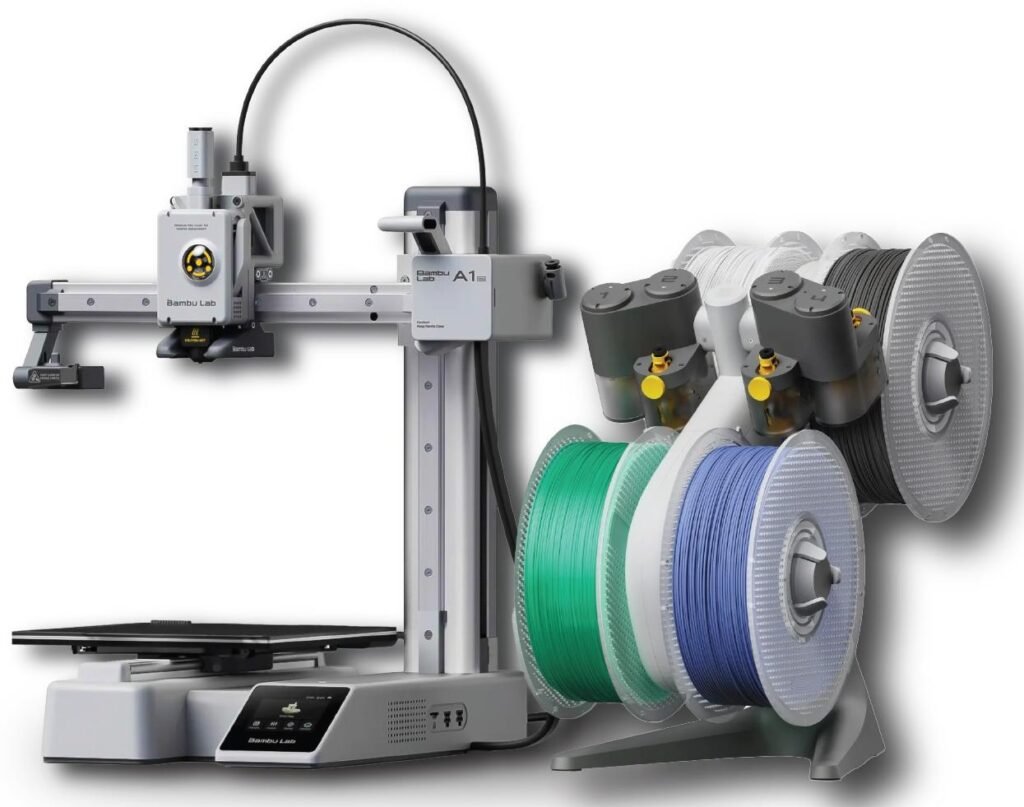
When I purchased the Bambu Lab A1 Mini Combo Multicolor 3D Printer UK, I was honestly impressed right from unboxing. It arrived fully assembled and pre-calibrated, which made the setup process effortless. Within about twenty minutes, I had it ready to print — no complicated adjustments, no confusing steps. For someone who values simplicity and precision, this felt like a dream start.
The AMS Lite system is what really made me love this printer. It supports up to four colours, and the transparent covers make it easy to monitor the filament while printing. I found the switching between colours smooth and consistent, and it gave my models a professional-quality finish. It’s amazing how Bambu Lab has made multi-colour 3D printing this accessible and affordable in such a compact design.
The print quality itself is genuinely impressive for its size. Every model I printed came out crisp, detailed, and smooth, without needing much post-processing. The Bambu Lab A1 Mini Combo handles different materials well, and the prints stay reliable even during longer jobs. Despite its smaller build volume, I found it perfect for my daily creative projects — from mini figures to small functional parts.
What I appreciate most is the convenience. I didn’t have to assemble anything or fine-tune endlessly like with some other 3D printers I’ve used. The Bambu Lab ecosystem feels polished and beginner-friendly, and the printer runs quietly, which makes it perfect for small workspaces or regular setups.
Overall, the Bambu Lab A1 Mini Combo Multicolor 3D Printer UK offers an incredible balance of quality, speed, and user experience. It’s ideal for beginners, hobbyists, or anyone short on space but still wanting to experience high-end multi-color printing. Personally, I think it’s one of the smartest purchases I’ve made — compact, efficient, and capable of producing stunning multi-colour prints every single time.
Original Prusa MK4 + MMU3
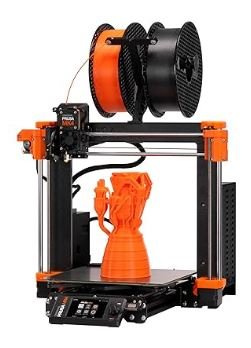
When I first decided to try the Original Prusa MK4 + MMU3 Multicolor 3D Printer UK, I knew I was investing in something known for its reliability and open-source flexibility. The setup felt premium from the start — everything was neatly packed, the build quality was solid, and the unboxing gave me a real sense of precision engineering. Once I got it running, I instantly noticed how consistent the prints were, even without fine-tuning every setting. It just worked beautifully straight out of the box.
What really impressed me was the MMU3 multicolor system. With support for up to five colors, I could easily add depth and creativity to my prints without constantly changing filaments. The system integrated smoothly with the printer, and while it’s an optional add-on, it’s definitely worth getting right away. It made color transitions seamless and accurate — something I hadn’t experienced before with other printers.
The PrusaSlicer software also deserves a mention. It’s incredibly detailed and gives full control over every aspect of the print. Even as someone who likes simplicity, I appreciated how intuitive it felt once I got used to it. Every feature seemed designed with practical use in mind, and I could easily adjust profiles for different filaments or colors.
What I loved most about the Original Prusa MK4 + MMU3 Multicolor 3D Printer UK was the dependability. It’s not the fastest printer out there, but it’s built to last and perform consistently. I could leave long prints running overnight and wake up to flawless results every time. If you value stability, precision, and open-source flexibility, this printer feels like a long-term investment that truly delivers professional-quality multicolor results without any unnecessary hassle.
Creality K2 Plus Combo
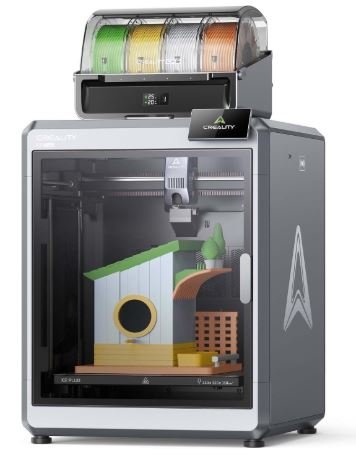
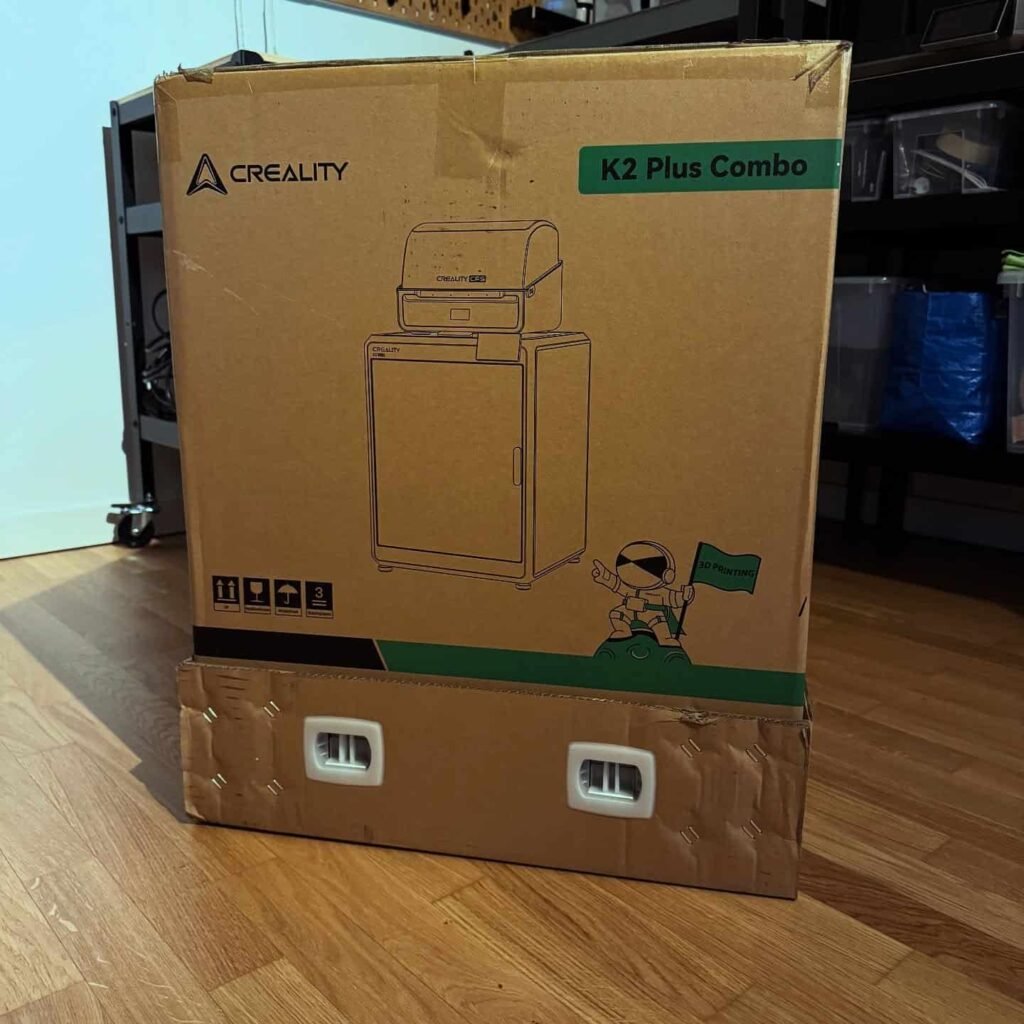
When I purchased the Creality K2 Plus Combo Multicolor 3D Printer UK, I immediately noticed how impressive it felt straight out of the box. Unboxing and setting it up was smooth, and I could tell this printer was built for serious, high-end multicolour 3D printing. The solid construction and enclosed design made it feel like a professional-grade machine, yet it was surprisingly user-friendly to start printing right away.
The CFS multicolour system is what really makes this printer stand out. It supports up to four filaments by default, and with additional units, I can expand it to sixteen colours. I loved how easy it was to manage multiple filaments, and the colour transitions were smooth and accurate. For anyone who wants to create complex, vibrant multicolour prints, this system is a real game-changer.
One of the biggest advantages for me was the large build volume. With a 350 x 350 x 350 mm print area, I can create bigger models without worrying about size limitations. This makes the K2 Plus ideal for ambitious multicolour projects, from large decorative pieces to functional prototypes.
The performance is excellent. The heated chamber ensures that even advanced materials print reliably, and the printer maintains high speeds without compromising quality. Each print came out consistent, detailed, and professional-looking, which made me feel confident leaving it running for long jobs.
Overall, the Creality K2 Plus Combo Multicolor 3D Printer UK combines speed, precision, and large-scale multicolour capabilities in one package. From my personal experience, it’s perfect for anyone in the UK looking to explore advanced multicolour 3D printing with a machine that’s both reliable and versatile. I can honestly say it’s one of the best high-end options I’ve used, and it’s well worth the investment for serious 3D printing enthusiasts.
How We Test
When reviewing the best multi-color 3D printers, we follow a consistent, hands-on testing method to ensure reliable and unbiased results. Here’s how we test:
1. Unboxing and Setup
We check how easy it is to get started. This includes the quality of packaging, ease of assembly, initial calibration, and how beginner-friendly the setup process is. Plug-and-play functionality is a big plus.
2. Multicolor Printing Performance
We test real multi-color prints to evaluate how well the printer handles color changes. We look at color swap speed, alignment accuracy, and transition quality. Purge towers and waste management are also considered.
3. Software Compatibility
We use the recommended slicers (like OrcaSlicer, PrusaSlicer, or Bambu Studio) to assess how easily users can set up multi-material prints. Features like pause-and-swap or filament preview are tested for ease of use.
4. Print Quality and Detail
Each printer is tested with standard models such as calibration cubes, logos, and complex multi-color designs. We look at layer consistency, sharpness, color separation, and whether the prints match the original design.
5. Ease of Maintenance
We evaluate how easy it is to maintain the printer, clear jams, clean the nozzle, and replace filaments. Accessibility of components and overall user-friendliness are key factors.
6. Value for Money
We compare the performance and features with the price point. We consider whether multi-material accessories are included or cost extra and whether the printer delivers consistent long-term results.
7. Real-World Feedback
We analyze customer reviews and user experiences from different platforms to validate our findings. Firmware stability, support quality, and reliability over time are factored into the final score.
FAQ’s : Best Multicolor 3D Printer
Can all 3D printers print multiple colors?
Yes, not all 3D printers can print multiple colors automatically. Dual extruder or multi-filament systems allow auto color changes. Single extruder 3D printers need manual filament swaps mid-print for multi-color results. Multi-color 3D printing depends on your printer’s hardware and software support.
What are the limitations of multicolor 3D printers?
Multicolor 3D printers are affordable and easy to use, but they have some limitations. Visible layer lines can affect print quality, and achieving precise color tones is challenging. FDM multicolor 3D printers with multiple extruders are also more prone to print errors, making color accuracy and consistency harder to maintain.
Is multicolor 3D printing easy to learn?
Yes, multicolor 3D printing is easy to learn, especially with the filament switch method. This technique pauses printing to change filaments, making it simple for beginners and hobbyists to create colorful models without advanced tools. It’s a cost-effective and beginner-friendly way to explore multicolor 3D printing.
Can Creality K1 Max print multiple colors?
Yes, the Creality K1 Max can print multiple colors using its advanced ECM module. It supports up to 20 colors in a single print, allowing users to create vibrant and detailed models easily. This multicolor 3D printing feature makes the Creality K1 Max ideal for creative and professional projects.
Related Resources:
- Best 3D Printer For Miniatures UK
- Best 3d Printer For Kids UK
- Best Resin 3D Printer UK
- Best 3D Printer Under £300 UK
- Best 3d Printer Under 200 UK

Thomas Expert
Thomas is the lead author at Best3DPrinter.co.uk, bringing years of hands-on experience testing printers across various price ranges. His reviews are built on real usage, not press releases. Thomas personally unboxes, calibrates, and prints with each model, ensuring every recommendation reflects genuine experience, expert understanding, and complete transparency.

Smith Technologist
Smith is a 3D printing technologist with deep knowledge of resin, filament, and print material compatibility. With over 6 years of lab testing experience, he evaluates how printers handle different materials, temperature settings, and layer adhesion — ensuring each model delivers consistent print quality and real-world durability.

Joel Expert
Joel combines a background in mechanical design with a genuine love for 3D printing. He’s spent years fine-tuning print settings, testing slicing software, and experimenting with different filaments. At Best3DPrinter.co.uk, Joel ensures every review is fact-checked, easy to understand, and backed by real testing — reflecting true expertise and trustworthiness.