

Best 3D Printer Under £300 UK: Must Read Before You Final Buy!
When we first started looking into 3D printing, we were both excited and cautious. We wanted to explore the endless possibilities of this amazing technology, but like many others, we didn’t want to spend a fortune on our first machine. That’s when we began our journey to find the best 3D printer under £300 in the UK—a printer that’s good, reliable, and friendly.
Over the past few months, we’ve spent countless hours unboxing, setting up, testing, and troubleshooting several 3D printers. It wasn’t always easy. Some printers promised a lot but fell short in actual performance. Others surprised us with features we didn’t expect at this price point. But through all the hands-on testing, print failures, and successes, we gained a clear understanding of what makes a great 3D printer.
If you’re like us—curious about 3D printing but not quite ready to make a big financial commitment—you’re in the right place. The good news is that today’s market offers several high-quality FDM 3D printers under £300 that are perfect for starters, hobbyists, teachers, students, and even small-scale designers. These printers are easy to use, and surprisingly powerful for the price.
Whether you’re a parent hoping to spark your child’s creativity, a designer exploring rapid prototyping, or just someone who loves learning new tech, the right 3D printer can open up a whole new world. But with so many models out there, finding one that’s both cost-friendly and dependable can feel overwhelming.
That’s why we’ve created this guide—to help you cut through the noise. We’ve done the testing for you and picked out the top performers that offer the best mix of quality, ease of use, and value for money.
Let’s dive into the world of 3D Printer Under £300 UK—starting with our tried and tested recommendations.
Best 3D Printer Under £300 UK At A Glance
| 3D Printer Under £300 | Customer Satisfaction Ratings | Reason To Buy |
|---|---|---|
| Creality Ender 3 V3 SE | 89% | Easy to use for learners, Reliable direct drive extruder, Auto bed leveling |
| Flashforge Adventurer 5M | 91% | Enclosed design for safety, High-speed 600 mm/s printing, Dual-gear extruder, Smart calibration |
| ELEGOO Neptune 4 Pro | 88% | Klipper pre-installed, 300°C nozzle temp, PEI bed & fast heating, Dual-zone heated bed |
| Bambu Lab A1 Mini | 93% | Fully automatic calibration, High-speed and quiet, Compact and modern, App and remote control |
Exploring The Right Kind of 3D Printer Under £300 UK
When I started looking for the best 3D printer under £300 in the UK, I wanted something reasonable but still powerful enough to give me quality results. I found that around £300 is actually the sweet spot for new ones like me. It gives you the right mix of price and performance without feeling overwhelming.
At this price, I got a printer that was reliable, with fewer failed prints and more consistent results. The compact size also worked well for my home setup, and I imagine it would be just as practical for classrooms or small workspaces. Most of these 3D printers come with a decent build volume, fast print speeds, and interfaces that are easy to understand—even for someone who’s just starting out.
Going cheaper than this often means you sacrifice print quality or struggle with machines that don’t last. On the other hand, more expensive models felt like too much for my needs. What really helped me decide were four key things: print speed (around 150–300 mm/s), auto-bed leveling for easier setup, stable printing without shaking, and layer resolution between 50 to 200 microns for smooth finishes. I also looked for a build volume of at least 200x200x200 mm to keep my options open for different types of projects.
Some of the models that really impressed me in this price range were the Flashforge Adventurer 5M, Bambu Lab A1, and Creality K1. These offered features like CoreXY stability, smart calibration, and super-fast printing that I didn’t expect to find under £300. They’re perfect for anyone starting out—whether you’re a hobbyist like me, a teacher adding tech to the classroom, or a designer testing out quick prototypes.
Best 3D Printer Under £300 UK: Tried and Tested
Why you can trust Best 3D Printer UK: Our expert reviewers spend hours testing and comparing products and services so you can choose the best for you. Find out more about how we test.
Creality Ender 3 V3 SE
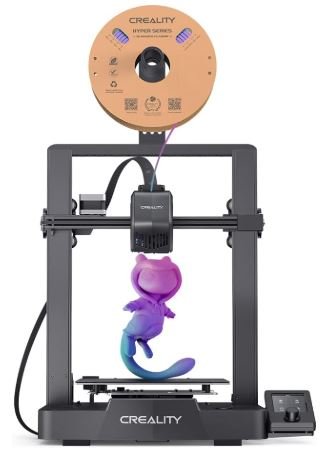
I bought the Creality Ender 3 V3 SE because I wanted a reliable 3D printer under £300 that wasn’t too complicated to use. After unboxing and setting it up, I was genuinely surprised by how smooth the whole experience was. It took me around 20 minutes to get it ready, and I didn’t run into any problems.
What stood out to me first was the build quality. It’s compact and well-designed, with a solid frame that keeps prints steady. Thanks to the dual Z-axis and the strong linear rails on the Y-axis, I noticed my prints came out wobble-free and consistent—even on taller objects.
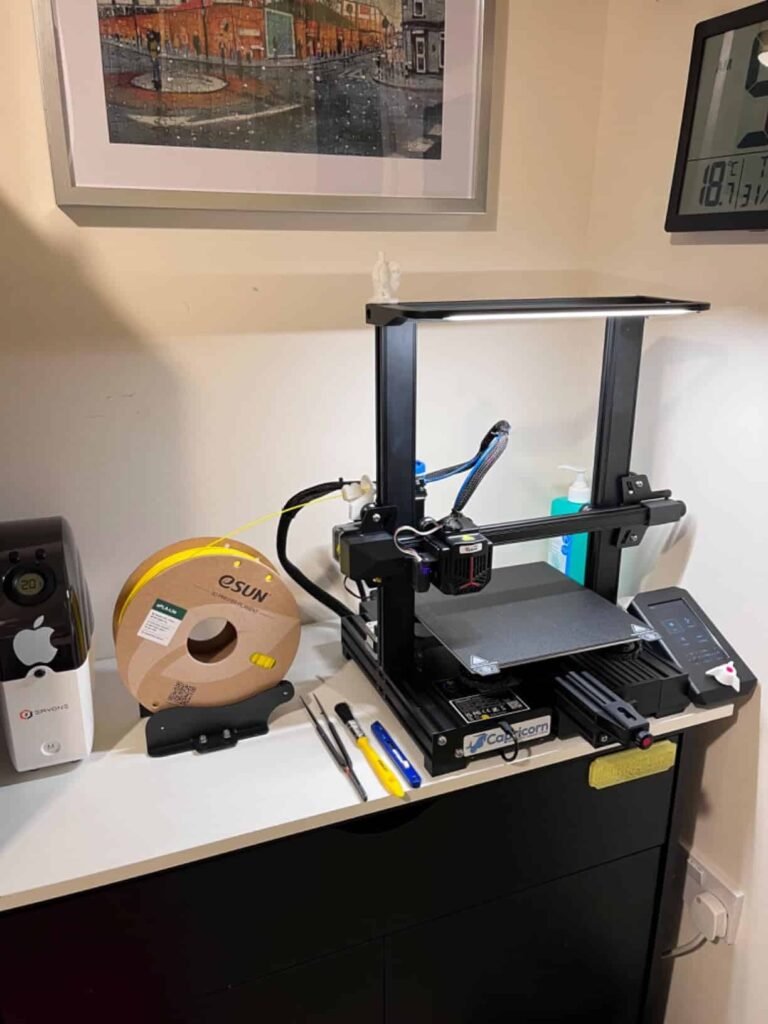
The direct drive “Sprite” extruder was a big plus for me. I could easily print with PLA, PETG, and even TPU without needing any upgrades. Flexible filaments worked without jamming or slipping, which was something I struggled with on my previous printer.
One thing I appreciated a lot was the automatic bed leveling and Z-offset adjustment. I didn’t have to spend time manually tuning it. The printer just did the job, and I was printing within minutes. Loading and unloading filament with just a button press also made my life easier.
The print speed is solid—up to 250 mm/s—but what impressed me more was how the quality stayed sharp even at high speeds. The 3.2-inch color screen with a rotary knob is simple but effective. No touchscreen, but it works well and is responsive.
For under £300, I feel like I got features that usually come with more expensive printers. It’s perfect for learners, and even though it doesn’t have Wi-Fi or app control, I found it very dependable.
Flashforge Adventurer 5M
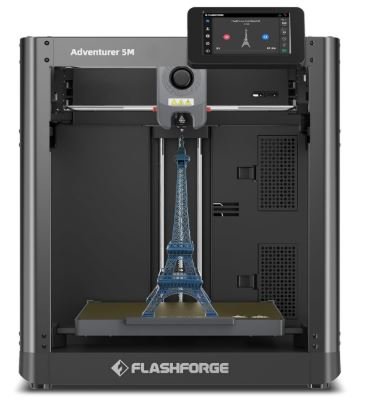
I bought the Flashforge Adventurer 5M because I wanted a 3D printer that was fast, safe, and reliable without going over my £300. After using it for a while, I can say it’s one of the best choices I’ve made for 3D printing at home. It’s also great for schools or learners who want something dependable right out of the box.
Setting it up was easy. It came well-packaged, and the instructions were clear. One of the first things I noticed was the fully enclosed design. It’s not only safer to use—especially if you have kids around—but it also keeps the noise levels low and maintains a stable temperature inside the chamber, which helps with print quality.
The build volume of 220×220×220mm is perfect for most of my prints. It’s big enough for creative projects but small enough to fit nicely on my desk. What really impressed me is the speed—600 mm/s max print speed and 20,000 mm/s² acceleration. Despite that speed, the quality doesn’t drop. My prints have come out sharp and detailed, which is all thanks to the CoreXY structure. It gives great stability and reduces vibration during high-speed prints.
The auto bed leveling saved me a lot of time, and I didn’t need to adjust anything manually. Loading filament was also simple, and the dual-gear extruder handled all materials I tried, including PLA and PETG, without any issues. The built-in camera is another nice touch. I could monitor my prints remotely, which was helpful when I wasn’t in the room.
The FlashPrint software that comes with it is user-friendly. I didn’t feel overwhelmed like I did with other slicers. It helped me get reliable results without a steep learning curve.
For under £300, I think this is one of the best 3D printers in the UK. It’s fast, stable, friendly, and packed with smart features. I can see why it’s a bestseller. If you want a £300 3D printer that feels premium, the Adventurer 5M is definitely worth it.
ELEGOO Neptune 4 Pro
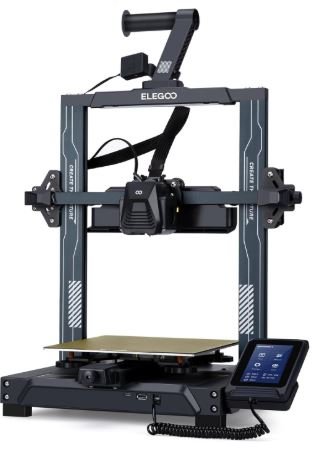
I purchased the ELEGOO Neptune 4 Pro because I wanted something faster and more capable than the usual printers, but still under my £300. After using it regularly, I can confidently say this is one of the most powerful 3D printers in the UK under £300 I’ve used so far.
What caught my attention first was the speed—up to 500 mm/s with Klipper firmware pre-installed. The printer is fast, and the results have been clean and precise even at higher speeds. The gantry-style frame feels strong and stable, which really helps with consistent prints.
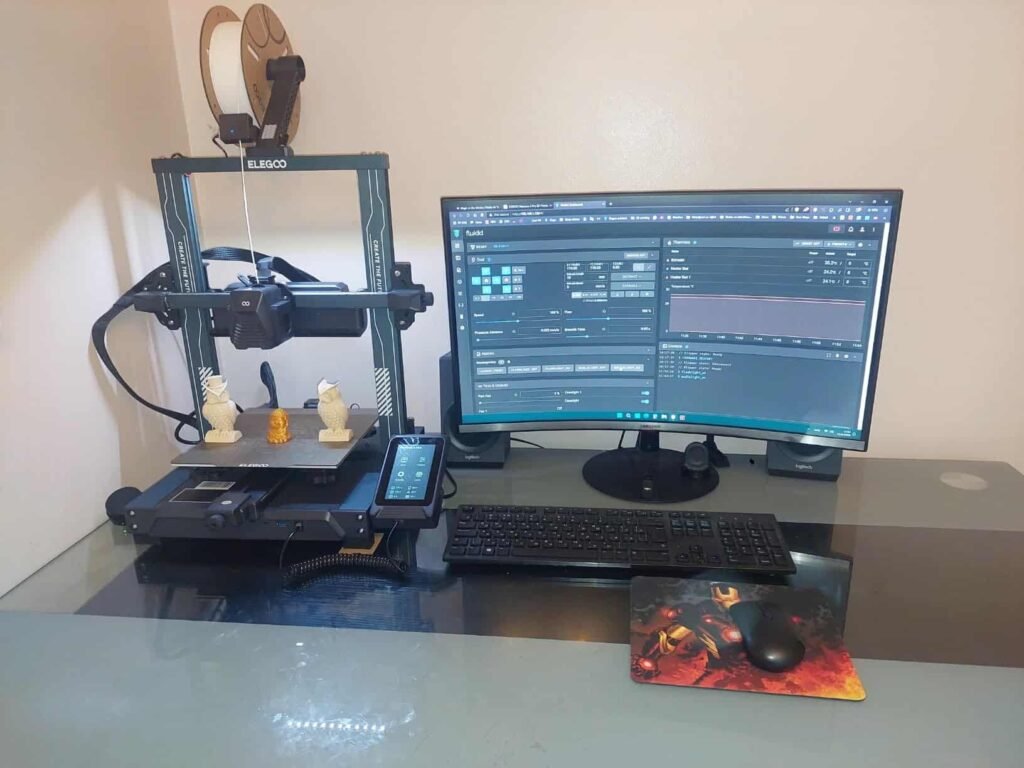
I’ve tried different materials like PLA, TPU, and even a bit of ABS. The dual-gear direct drive extruder handled all of them well. It’s not often you find a printer under £300 that can print flexible filaments and high-temp materials without issues. The hotend goes up to 300 °C, so I felt confident using more demanding filaments.
The heated bed with dual zones is smart—it only heats where the model needs it, saving energy and heating up fast. The PEI-coated magnetic surface made it super easy to remove finished prints without using tools.
Cooling is something that’s often ignored in printers, but not here. This printer has six fans and smart control, which kept everything running smoothly even during long prints. I also liked the 121-point auto bed levelling—that saved me a lot of setup time and made the first layer stick perfectly.
The 4.3-inch touchscreen is simple to use, and the LED lights were a small bonus I didn’t think I’d care about—but they make it easier to check on prints, especially at night.
It doesn’t have Wi-Fi, and I’ll admit it’s slightly noisier than I expected, but that’s a small tradeoff for everything it offers. For the price, this machine really packs in pro-level features.
If you’re looking for a fast, strong, and feature-rich 3D printer under £300 in the UK, the ELEGOO Neptune 4 Pro is absolutely worth it—even if you’re not a complete starter anymore.
A1 Mini from Bambu Lab
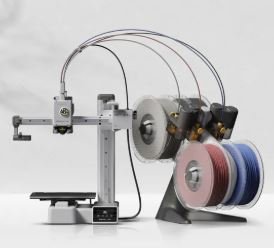
I bought the Bambu Lab A1 Mini because I wanted something easy to use but packed with advanced features—without spending more than £300. After using it for a while, I can say this is one of the smartest and smoothest 3D printers in the UK I’ve come across.
The setup was simple. I had it up and running in about 20 minutes. Everything is pre-calibrated, and the printer basically does all the work for you. The fully automatic calibration includes Z-offset, bed levelling, belt tension, and even vibration correction. I didn’t need to adjust anything manually—it just printed perfectly.

The speed was surprising—up to 500 mm/s—but even at high speeds, the quality of the prints stayed sharp. Thanks to the CoreXZ motion system, the prints came out clean and didn’t need much post-processing. The accuracy is really impressive, and that’s rare at this price.
I also liked the build. The metal frame and premium rails make it feel solid and long-lasting. The quick-swap hotend is a nice touch too—I haven’t needed to replace it yet, but knowing it’s that easy gives me peace of mind. It also handles up to 300 °C, which is perfect if you plan to try out more demanding filaments later on.
The active flow rate compensation is a feature I didn’t expect. It adjusts the filament feed in real-time, and that means smoother prints with fewer errors. You can also control the printer through your PC or phone using the Bambu Studio app, which makes managing prints super convenient.
It doesn’t have USB-C or LAN, and the 180 x 180 x 180 mm build volume is a bit smaller compared to others, but for what it offers, I’m more than happy. I also plan to add the AMS Lite in the future to print in multiple colours—it’s a nice upgrade option.
If you’re looking for a smart, high-speed 3D printer under £300 UK, the Bambu Lab A1 Mini is a fantastic choice. It’s perfect for regular users, yet powerful enough to grow with you as you get more advanced.
Key Specifications Of 3D Printer Under £300 UK
Here’s a clean and reader-friendly comparison table.
| Specification / Model | Creality Ender 3 V3 SE | Flashforge Adventurer 5M | ELEGOO Neptune 4 Pro | Bambu Lab A1 Mini |
|---|---|---|---|---|
| Device Size (mm) | 349 × 364 × 490 | — | 475 × 445 × 515 | 347 × 315 × 365 |
| Net Weight | 7.12 kg | — | 8.9 kg | 5.5 kg |
| Build Volume (mm) | 220 × 220 × 250 | 220 × 220 × 220 | 225 × 225 × 265 | 180 × 180 × 180 |
| Max Print Speed (mm/s) | 250 mm/s | 600 mm/s | 500 mm/s | 500 mm/s |
| Max Acceleration (mm/s²) | 2,500 mm/s² | 20,000 mm/s² | 20,000 mm/s² | 10,000 mm/s² |
| Frame Structure | Cartesian (Gantry) | CoreXY | Gantry | Bed Pusher (CoreXZ-like) |
| Extruder Type | Sprite Direct Drive | Direct Drive | Dual Gear Direct Drive | Dual Gear Direct Drive |
| Nozzle Max Temp (°C) | ≤ 260°C | 280°C | 300°C | 300°C |
| Bed Max Temp (°C) | ≤ 100°C | 110°C | 110°C | 80°C |
| Auto Bed Leveling | Yes | Yes | Yes | Yes |
| Build Plate | Flexible Magnetic | Flexible Magnetic | PEI Magnetic | Textured PEI |
| Display | 3.2″ Rotary Knob | 3.2″ Colour Display | 4.3″ Touchscreen (Removable) | 2.4″ IPS Touchscreen |
| Interfaces | SD Card | — | USB, WLAN (Optional) | WiFi, Micro-SD, Bambu-Bus |
| Voltage / Power | 100–120V / 350W | — | 115/230V, 50/60Hz | 100–240V / 150W |
| Supported Filaments | PLA, PETG, TPU | PLA, PETG, TPU | PLA, PETG, TPU, ABS, Nylon | PLA, PETG, TPU, PVA |
How We Test
At our testing lab, we believe in hands-on, real-world testing. We don’t just read specs—we buy, unbox, and test each 3D printer for several weeks to truly understand its strengths and limitations.
Here’s how we test:
1. Unboxing & Setup
We start by evaluating the unboxing experience. Is the printer well-packed? Are the instructions clear? We also assess how friendly the setup process is—from assembling parts to loading filament and doing the first print.
2. Ease of Use
We test the user interface (touchscreen or knob), setup software (like slicers), auto-bed leveling features, and how easy it is to load/unload filament. This helps us judge how suitable each printer is for first-time users.
3. Print Speed & Accuracy
We run multiple test prints using standard benchmark models (e.g., 3DBenchy, calibration cubes, overhang tests) at different speeds. We look for layer consistency, sharp corners, overhang handling, and dimensional accuracy (usually within ±0.1 mm is excellent).
4. Material Compatibility
Each printer is tested with at least three filament types—PLA, PETG, and TPU. If the machine supports high-temp filaments (like ABS or nylon), we test those too. This helps us understand real-world versatility.
5. Noise Levels & Build Quality
We measure how loud the printer runs (especially useful for home users) and inspect the build quality—frame strength, cable management, bed adhesion, and cooling.
6. Reliability & Print Success Rate
A key part of testing is reliability. We perform long prints (5–8 hours) to see if the printer can maintain quality without failures like clogs, stringing, or layer shifts.
7. Software & Connectivity
We evaluate bundled slicers (like Bambu Studio or Creality Print), app compatibility, and remote monitoring features. USB, SD card, Wi-Fi—each interface is tested.
Related Resources:
- Best 3D Printer For Small Business UK
- Best 3d Printer For Kids UK
- Best 3d Printer Under 200 UK
- Best Multicolor 3D Printer UK

Thomas Expert
Thomas is the lead author at Best3DPrinter.co.uk, bringing years of hands-on experience testing printers across various price ranges. His reviews are built on real usage, not press releases. Thomas personally unboxes, calibrates, and prints with each model, ensuring every recommendation reflects genuine experience, expert understanding, and complete transparency.

Tom Engineer 3D Printing Specialist

Smith Technologist
Smith is a 3D printing technologist with deep knowledge of resin, filament, and print material compatibility. With over 6 years of lab testing experience, he evaluates how printers handle different materials, temperature settings, and layer adhesion — ensuring each model delivers consistent print quality and real-world durability.

Joel Expert
Joel combines a background in mechanical design with a genuine love for 3D printing. He’s spent years fine-tuning print settings, testing slicing software, and experimenting with different filaments. At Best3DPrinter.co.uk, Joel ensures every review is fact-checked, easy to understand, and backed by real testing — reflecting true expertise and trustworthiness.