
Best 3d Printer For Kids UK: Must Read Before You Buy!
When I first started exploring 3D printing for my children, I wasn’t sure if it was something they could really enjoy or handle safely. After unboxing and spending hours testing several kid-friendly 3D printers over a few weeks, I quickly realized that exposing children to 3D printing can be an amazing way to spark creativity and learning. If you’re looking for the best 3D printer for kids in the UK, I can honestly say it’s worth investing time in finding one that is safe, simple, and enjoyable for young beginners.
A kid’s 3D printer isn’t just a toy—it’s a tool for learning, imagination, and problem-solving. Most adult-oriented 3D printers are far too complex for younger children. That’s why I focused on printers designed specifically for kids, with features that make them easy to operate even without constant adult help. From my experience, the best devices are straightforward right out of the box. You don’t need to be an expert to load filament, start a print, or troubleshoot minor issues. Some sacrifices in build size or flexibility are perfectly fine when the goal is a stress-free, enjoyable experience for kids.
I’ve found that children can start experimenting with 3D printing as soon as they can read instructions, understand basic safety precautions, and use smartphone applications. Some kid-friendly printers make the process as simple as using a microwave, with guided apps and pre-loaded models that bring their designs to life. Safety is also a big concern for me—I prefer printers with features like cold build plates and safety doors that automatically turn the printer off if opened. This allows my kids to explore freely while staying safe.
What’s exciting is how quickly children pick up the basics of 3D design. Even elementary school-aged kids can use applications like Tinkercad to create their own projects. Most kid-friendly printers also come with simplified slicers or “easy modes” on adult slicers, which hide complex settings and make printing stress-free. After weeks of testing, I can confidently say that the right 3D printer for kids in the UK can turn learning into a fun, hands-on experience and open up a world of creativity for young minds.
Best 3d Printer For Kids UK At A Glance
| 3d Printer For Kids UK | Best For | Pros (Why We Loved It) | Recommended Age Group | Reason to Buy |
|---|---|---|---|---|
| Toybox 3D Printer | Very young children (Ages 5+) | Super easy setup, completely safe for kids, fun and interactive app, no calibration needed | 5–10 years (with light supervision) | Safe and fun way to introduce 3D printing; best for first-time users |
| Bambu Lab A1 Mini | Older kids and teens | Fast, quiet, and high-quality prints, colour capability, reliable and future-proof | 10–15 years | Professional-quality results in a compact kid-friendly printer |
| Flashforge Adventurer 5M Pro | Regular or classroom use | Excellent safety, strong enclosure, great indoor air quality, easy maintenance | 8–15 years | Best enclosed 3D printer for safe Regular or school use |
| Monoprice Voxel / FlashForge Voxel | Beginners and families | Fully calibrated out of the box, easy for kids, low maintenance, dependable print quality | 7–14 years | Best plug-and-play enclosed printer for simplicity and safety |
| Creality Ender-3 V3 (or V3 SE) | Teen learners & hobbyists | Affordable, upgradable, excellent print quality, strong community support | 13+ years (with supervision) | Perfect for teens ready to explore hands-on 3D printing |
Exploring The Right Kind of 3d Printer For Kids UK
When I started looking for the right 3D printer for kids in the UK, safety was my top priority. From my experience, a fully enclosed print area is essential to keep curious fingers and loose clothing away from the hot nozzle and moving parts. I prefer using non-toxic PLA filament instead of ABS because it’s biodegradable, safer, and produces minimal fumes. Even with PLA, I always make sure the printing area has good airflow for added safety. Features like overheat protection, door sensors, and automatic shut-off give me peace of mind while my children experiment with printing.
Stability is another factor I never overlook. A printer with a low centre of gravity and solid build prevents accidental tip-overs, which is particularly important for younger kids. From my testing, machines that come mostly assembled with automated bed levelling make setup much simpler. Kids can start printing almost immediately without getting frustrated by complicated manual adjustments. I also look for kid-friendly software or proprietary apps that include pre-sliced models. Older kids, like teenagers, can move on to platforms such as Tinkercad, which let them design their own 3D models while still being easy to use.
Depending on age, supervision needs change. For children between 8 and 12, I stay close and focus on simple, kid-specific models with curated content libraries. For teens 13 and up, minimal assistance is needed, and they can use more sophisticated printers like the Bambu Lab A1 Mini or Creality Ender 3 V3 SE. I also consider educational value—printers that allow kids to create their own models help develop STEM skills far more than those limited to pre-made designs.
Finally, cost plays a role. I’ve found that spending a little more on a reliable, functional printer is worth it. Entry-level models under £100 are fine for testing, but printers with extra safety and usability features make the experience smoother and more enjoyable. Balancing cost, safety, and functionality is key when choosing the best 3D printer for kids in the UK.
Best 3d Printer For Kids UK: Tried & Tested Models
Why you can trust Best 3D Printer UK: Our expert reviewers spend hours testing and comparing products and services so you can choose the best for you. Find out more about how we test.
Toybox 3D Printer
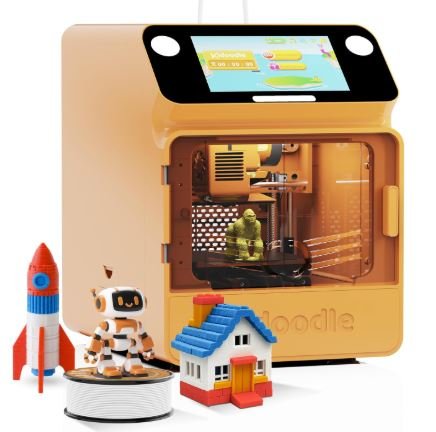
When I first purchased and unboxed the Toybox 3D Printer for Kids UK, I could immediately tell it was made with children in mind. What impressed me the most was how incredibly simple it was to get started. Everything about it feels designed for young creators — from its one-touch printing system to the fun, colourful mobile app that controls it. I didn’t have to deal with any complicated setup or calibration. Within minutes, my kids were printing their first toy with just a tap on the screen.
The Toybox 3D printer offers access to a huge online library of over 2,000 ready-to-print, parent-approved toys and projects. For me, that’s one of its biggest strengths. My children could browse through designs like cars, keychains, and cute figurines, and print them instantly without needing to use any advanced design software. It’s the perfect mix of creativity and convenience. The flexible magnetic build plate is another highlight—it’s completely safe for kids, and removing prints is effortless. Since it uses an unheated bed, I never have to worry about burns or safety risks, which gives me complete peace of mind.
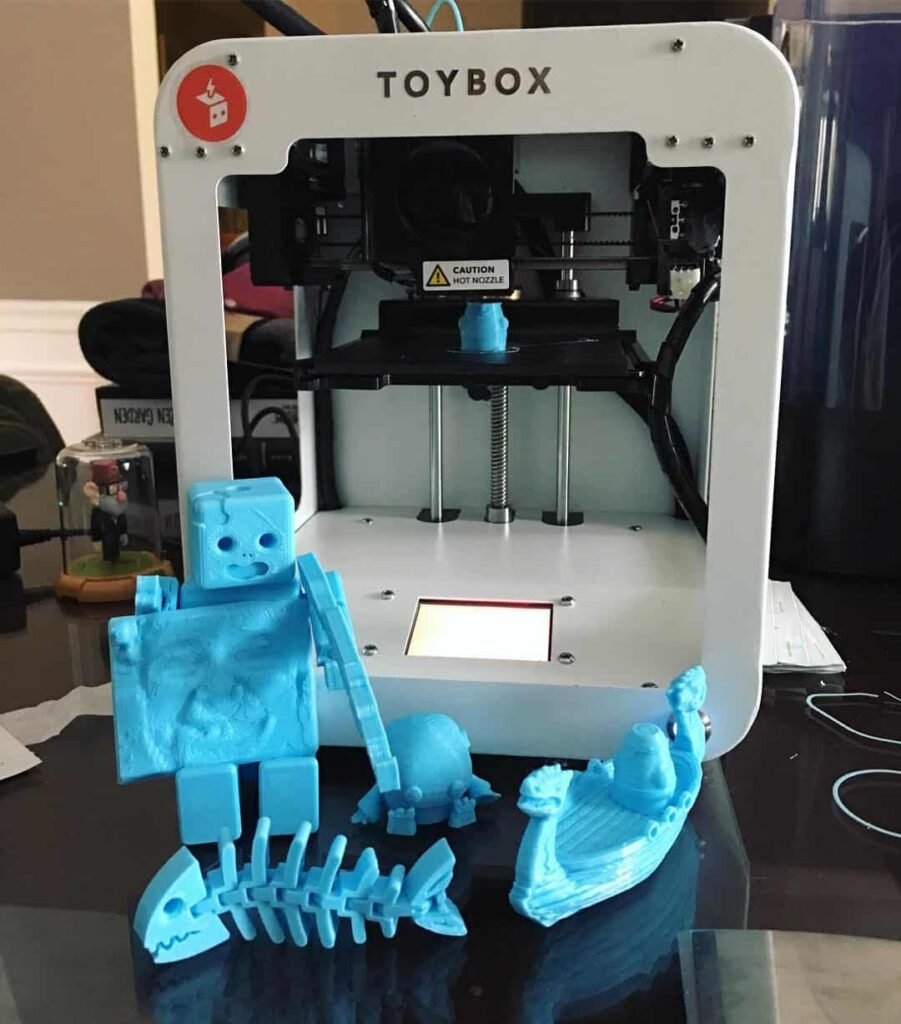
Even though the Toybox 3D printer has a smaller build area, I actually see that as an advantage for beginners. It keeps things simple and encourages short, fun printing sessions that hold kids’ attention. The print quality for such a compact printer is genuinely impressive, and the fact that it runs smoothly through its own ecosystem makes it even easier for children to use independently.
In my experience, the Toybox 3D Printer for Kids UK is one of the most enjoyable and beginner-friendly printers available. It turns learning and creativity into playtime and gives kids a safe, exciting introduction to 3D printing. I’d easily recommend it to any parent who wants a fun, educational gift their child will love.
Bambu Lab A1 Mini
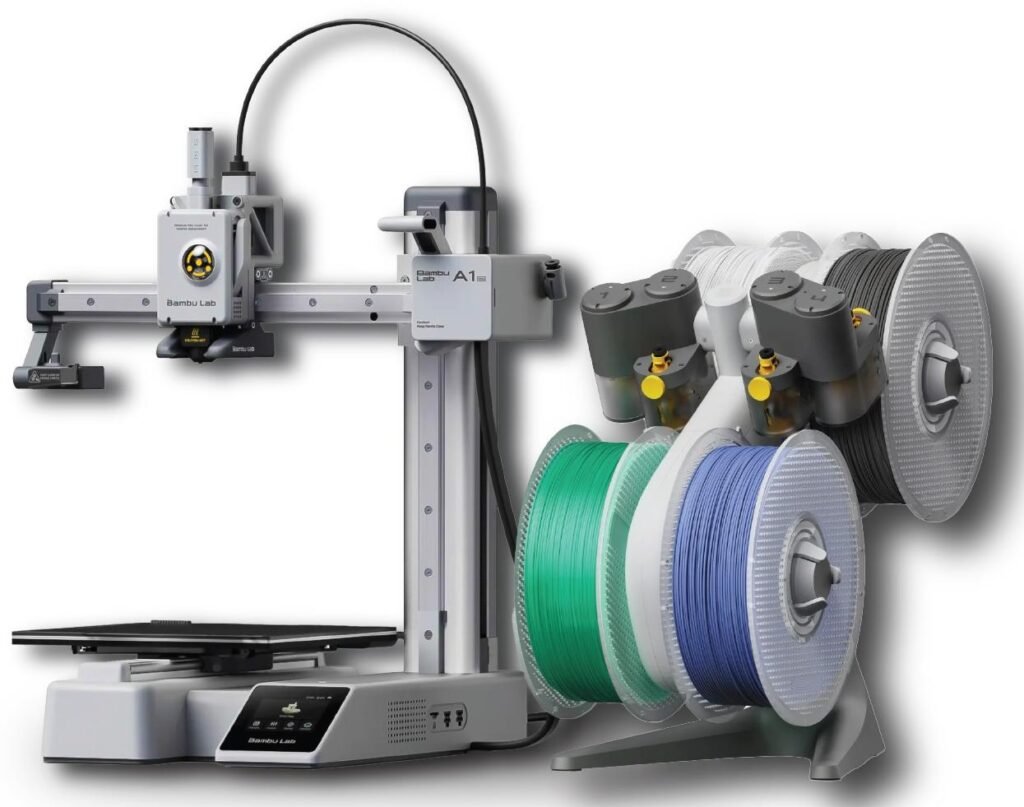
When I purchased and unboxed the Bambu Lab A1 Mini 3D Printer for Kids UK, I was genuinely impressed by how polished and effortless the whole setup felt. It’s a true plug-and-play 3D printer — almost entirely pre-assembled, which saved me from spending hours on calibration or fine-tuning. Within minutes, I had it connected via Wi-Fi and ready to print. The automatic bed levelling works flawlessly, so I didn’t have to worry about any manual adjustments, which is a big relief for anyone new to 3D printing.
What stood out immediately was the print quality and speed. Every print I tried came out clean, sharp, and consistent — something I didn’t expect from such a compact printer. The Bambu Lab A1 Mini feels professional yet perfectly suitable for beginners or older kids ready to explore serious 3D printing. Its fast printing speed makes it exciting for children, as they don’t have to wait too long to see their creations come to life.
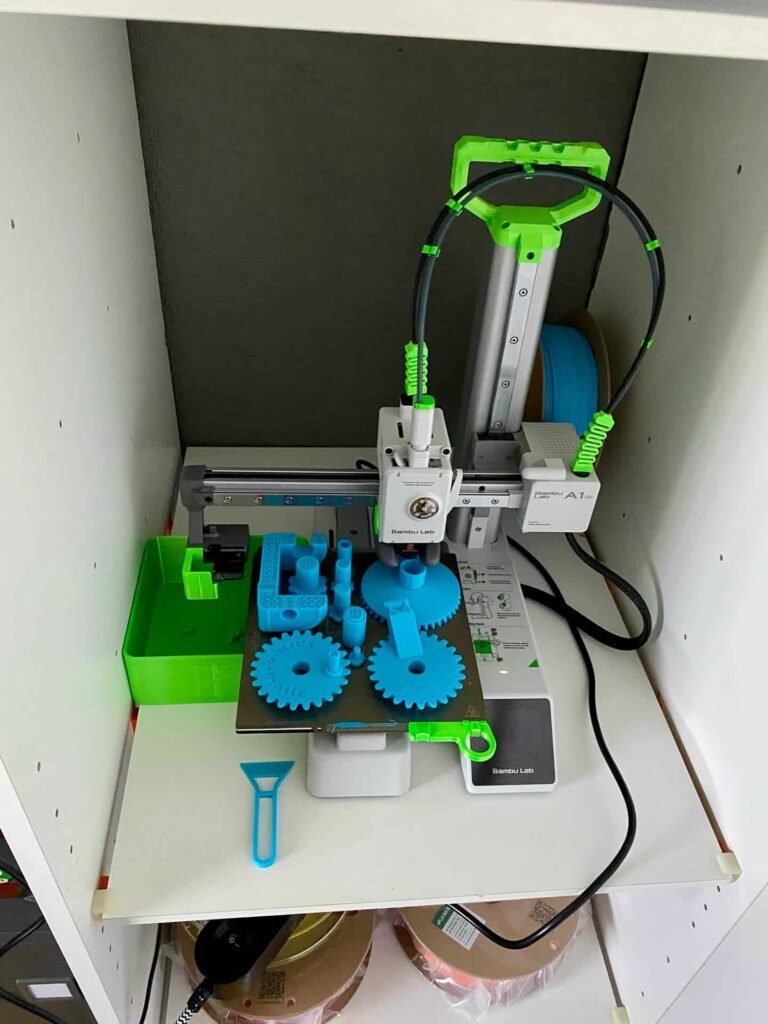
I also love the option of adding the AMS Lite colour unit. It allows printing in up to four colours, which adds a whole new layer of creativity. My kids especially enjoy designing colourful toys and models, and the results always look fantastic. The heated bed ensures better adhesion and print reliability, while still keeping everything safe and well-contained.
Although it doesn’t have an on-device screen and requires using a PC or mobile device, I actually find that convenient. The interface is intuitive and makes it easy to manage prints remotely. In my experience, the Bambu Lab A1 Mini 3D Printer for Kids UK strikes the perfect balance between simplicity, quality, and performance. It’s a long-lasting investment that kids can grow with — from early learning projects to more advanced creative builds.
Flashforge Adventurer 5M Pro
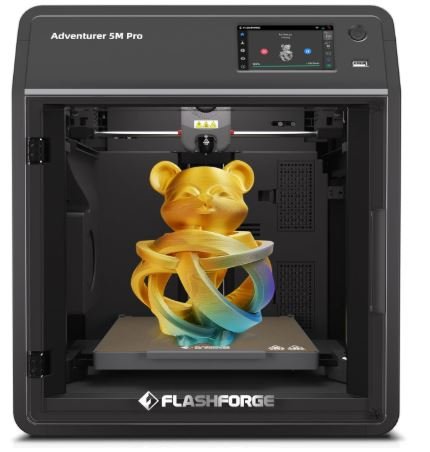
When I purchased and unboxed the Flashforge Adventurer 5M Pro 3D Printer for Kids UK, I could instantly see why it’s such a trusted choice for families and classrooms. The fully enclosed design immediately stood out — it looks sleek, feels solid, and most importantly, keeps everything safe. I really appreciate how secure it feels to let my kids explore 3D printing with it. The enclosure, combined with its dual-layer HEPA and carbon filtration system, gives me complete confidence about indoor air safety. It effectively minimizes fumes and particles, which makes it ideal for regular use.
Setting it up was straightforward. The Adventurer 5M Pro came mostly preassembled, and the automated bed levelling made calibration effortless. I was also impressed with the quick-change nozzle system — swapping nozzles is fast and clean, which makes maintenance much easier. Once I started printing, I could immediately notice how smooth and consistent the results were. The print quality is excellent, and it handles detailed designs without any issues.

One of my favourite features is the built-in camera. I love being able to monitor prints remotely without hovering over the machine. It’s especially useful when my kids are printing their school projects or creative models, as I can check progress easily from another room. The printing speed is also surprisingly quick for a printer with such advanced safety and enclosure features.
While it’s slightly more expensive than basic models, I genuinely think the Flashforge Adventurer 5M Pro 3D Printer for Kids UK is worth every penny. It’s reliable, durable, and incredibly safe — perfect for busy households that want professional-level printing without compromising safety. For me, it’s a high-quality investment that brings both creativity and peace of mind, making 3D printing fun and safe for kids and parents alike.
Monoprice Voxel / FlashForge Voxel
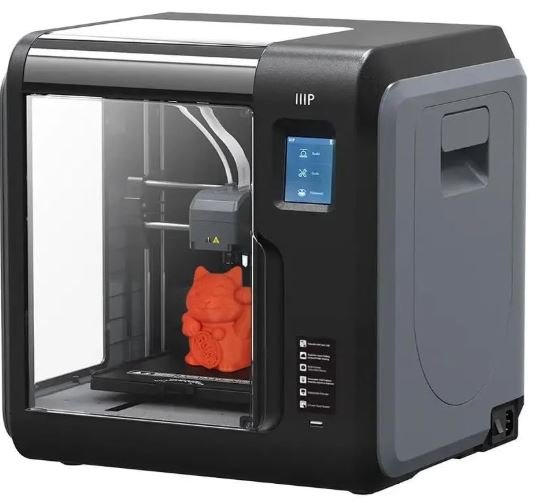
When I purchased and unboxed the Monoprice Voxel 3D Printer for Kids UK (also known as the FlashForge Voxel), I was pleasantly surprised by how user-friendly and ready-to-go it was right out of the box. It came completely calibrated, so I didn’t have to spend time on complicated setup or manual bed levelling. Within minutes, I was able to start printing, and the results were clean and consistent from the very first try. For beginners or kids, that’s a big win — no technical frustration, just simple, reliable printing.
One feature I truly appreciate is the quick-change nozzle. It’s something I think every beginner-friendly 3D printer should have. Replacing it doesn’t require any special tools or technical knowledge, making maintenance almost effortless. My kids can print freely, and I don’t have to worry about complicated adjustments if something wears out. The Voxel 3D printer also comes fully enclosed, which adds a layer of safety by keeping hot parts and moving components out of reach — something that’s extremely important when children are involved.
The built-in Wi-Fi connection and Polar Cloud compatibility make remote management super convenient. I can start or monitor prints from another room using my laptop or phone, which fits perfectly into a busy household routine. The built-in camera is also a thoughtful addition — it lets me keep an eye on the progress without standing beside the printer.
Although the Monoprice Voxel / FlashForge Voxel 3D Printer for Kids UK has a slightly smaller build volume, I actually find that suitable for young users. It keeps print times short and projects manageable. The print quality, reliability, and ease of use make it one of my favourite kid-friendly printers. For any parent looking for a safe, dependable, and truly beginner-focused 3D printer, the Voxel is an excellent choice that makes learning fun and effortless.
Creality Ender-3 V3 (or V3 SE)
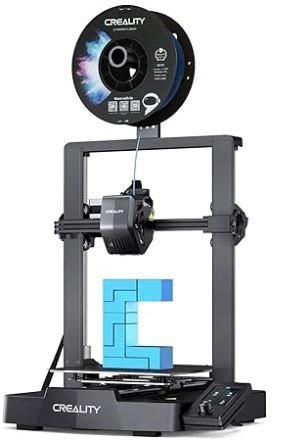
When I purchased and unboxed the Creality Ender-3 V3 3D Printer for Kids UK, I was genuinely impressed by how much value it offers for the price. It’s an affordable printer that delivers professional-level results, making it a great choice for older kids or teenagers who want to learn how 3D printing really works. The setup process was surprisingly simple — the Ender-3 V3 SE model came mostly preassembled, and the automatic bed levelling made calibration effortless. I was able to start printing within minutes, and the first few prints turned out clean, sharp, and consistent.
What I love most about this printer is how fast and efficient it is. The print speed is noticeably quicker than most same cost models, and the results are always impressive. For its price range, I honestly didn’t expect this level of performance. It’s also open-source, which I find to be a major advantage. There’s a huge online community of Ender users sharing upgrades, tips, and printable parts, so my kids can keep learning and improving their skills as they grow. It’s a printer that they can really “grow into” over time.
Even though it’s an open-frame printer, I haven’t found that to be a drawback as long as there’s proper supervision. It gives kids a better understanding of how the machine functions, which makes the learning experience more engaging. I’ve also found that a bit of adhesive on the build plate helps improve bed adhesion — a small tweak that makes printing smoother.
In my experience, the Creality Ender-3 V3 (or V3 SE) 3D Printer for Kids UK is a perfect blend of affordability, reliability, and performance. It’s an excellent option for families who want a serious, high-quality printer that inspires creativity and hands-on learning in older children and teens.
How We Test
When it comes to choosing the best 3D printer for kids in the UK, we don’t just rely on specs—we put each model through real-world testing. I personally unbox and set up every printer to see how beginner-friendly it really is. If it claims to be “kid-safe” or “easy to use,” I want to see that in action.
I look at how quickly a printer can go from box to first print. If setup is confusing or if the instructions aren’t clear, that’s a red flag—especially for families who are new to 3D printing.
Print quality matters too. I test each printer using ready-made models and custom files from platforms like Thingiverse. I’m looking for smooth layers, strong builds, and minimal stringing or warping. And yes—I make sure these models are fun and age-appropriate for kids.
I also check for safety features like enclosed builds, cool-touch surfaces, auto shutoff, and filament compatibility (PLA is preferred for kids). Noise level is another factor—printers that sound like jet engines aren’t ideal for children.
Speed and reliability are tested by printing multiple times over several days. Failed prints, clogged nozzles, or bed adhesion issues tell me a lot about long-term usability. I also review the included software to see if it’s simple enough for kids (and their parents) to understand.
Lastly, I involve actual kids. My own and a few young testers try out the printer’s basic functions—loading filament, choosing files, and watching the print happen. If they can navigate the process with minimal help, that printer earns extra points.
In short, we test 3D printers for kids UK the same way parents and children would use them at regular—hands-on, honest, and focused on fun, safety, and learning.
FAQ: Best 3d Printer For Kids UK
Can a 7 year old use a 3D printer?
Yes, a 7-year-old can use a 3D printer with adult supervision. At this age, kids can start learning how 3D printing works by printing pre-made models like toys, animals, simple jewellery, or craft parts. It’s important for an adult to help with setup, filament loading, and safety checks. Choose a kid-friendly 3D printer that’s easy to use, safe, and works well with ready-to-print files. This keeps the process fun and educational, while avoiding frustration or risk.
Is a 3D printer worth it for kids?
Yes, a 3D printer is worth it for kids when used with proper care and supervision. It helps spark creativity and teaches important skills early. 3D printing is a growing technology in many industries, and giving kids a chance to explore it now can give them a strong head start for the future.
What is the age limit for a 3D printer?
The recommended age limit for a 3D printer is 11 years and above for unsupervised use. Children younger than 11 can still enjoy 3D printing, but they should always be closely supervised by an adult to ensure safety and proper handling of the machine.
Are 3D printers safe for children?
3D printers are safe for children if used with proper supervision and safety precautions. Young kids should not operate 3D printers on their own. Some printers release tiny particles during printing, which can affect children’s lungs if the room is not well-ventilated.
To stay safe, always use 3D printers in a ventilated area, choose kid-friendly models, and have an adult handle setup and monitoring.Are 3D printers good for kids?
Yes, 3D printers are good for kids when used with proper supervision. They help children explore creativity and develop problem-solving skills while learning modern technology. Introducing 3D printing at an early age gives kids a head start in a fast-growing field that’s shaping future industries and innovation.
Related Resources:
- Best 3D Printer Under £300 UK
- Best 3d Printer Under 200 UK
- Best 3D Printer For Home Use UK
- Best 3D Printer For Small Business UK
- Best Multicolor 3D Printer UK

Tom Engineer 3D Printing Specialist

Thomas Expert
Thomas is the lead author at Best3DPrinter.co.uk, bringing years of hands-on experience testing printers across various price ranges. His reviews are built on real usage, not press releases. Thomas personally unboxes, calibrates, and prints with each model, ensuring every recommendation reflects genuine experience, expert understanding, and complete transparency.

Smith Technologist
Smith is a 3D printing technologist with deep knowledge of resin, filament, and print material compatibility. With over 6 years of lab testing experience, he evaluates how printers handle different materials, temperature settings, and layer adhesion — ensuring each model delivers consistent print quality and real-world durability.

Joel Expert
Joel combines a background in mechanical design with a genuine love for 3D printing. He’s spent years fine-tuning print settings, testing slicing software, and experimenting with different filaments. At Best3DPrinter.co.uk, Joel ensures every review is fact-checked, easy to understand, and backed by real testing — reflecting true expertise and trustworthiness.